
Appearance
The onboarding checklist
In short
Each business has eight items to go live. Some tick themselves as the business's data and your checks come in; you tick the agreement, payment and training yourself. Give each item an owner and a due date.
Who: the onboarding team. Support can look.
Open the business from Organisations. Checklist shows what still stands between it and going live:
- Agreement signed
- Company registration (CAC)
- Superintendent pharmacist licence
- Premises licences
- Branches and users set up
- Payment set up
- Products, suppliers and stock import
- Go-live training
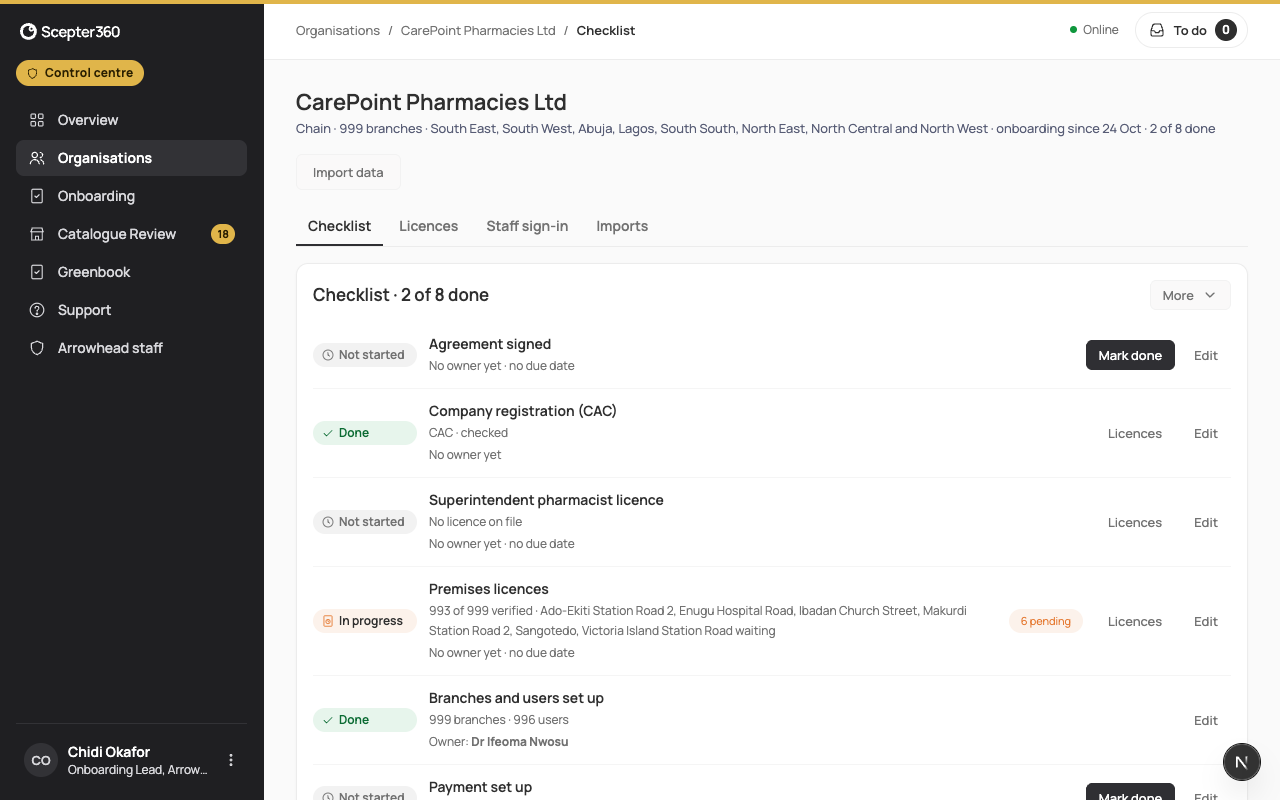
- Mark done ticks the agreement, payment and training.
- Licences opens the licence checks (Check licences).
- Fix … opens the import's problems (Import data and go live).
- Edit sets the Person responsible, a Due date (the business sees it on their checklist too) and a Note.
The others follow the checks and the business's data, and can't be ticked by hand.
Change the type of business
More › Change type of business… switches between chain, single pharmacy and hospital. The owner sees it but can't change it, and it can't change once the business is live.