
Appearance
Import data and go live
In short
Import the business's products, suppliers and opening stock, fix the problems the import finds, and when a branch is ready, Activate it. It can sell from then on.
Who: the onboarding team.
Import
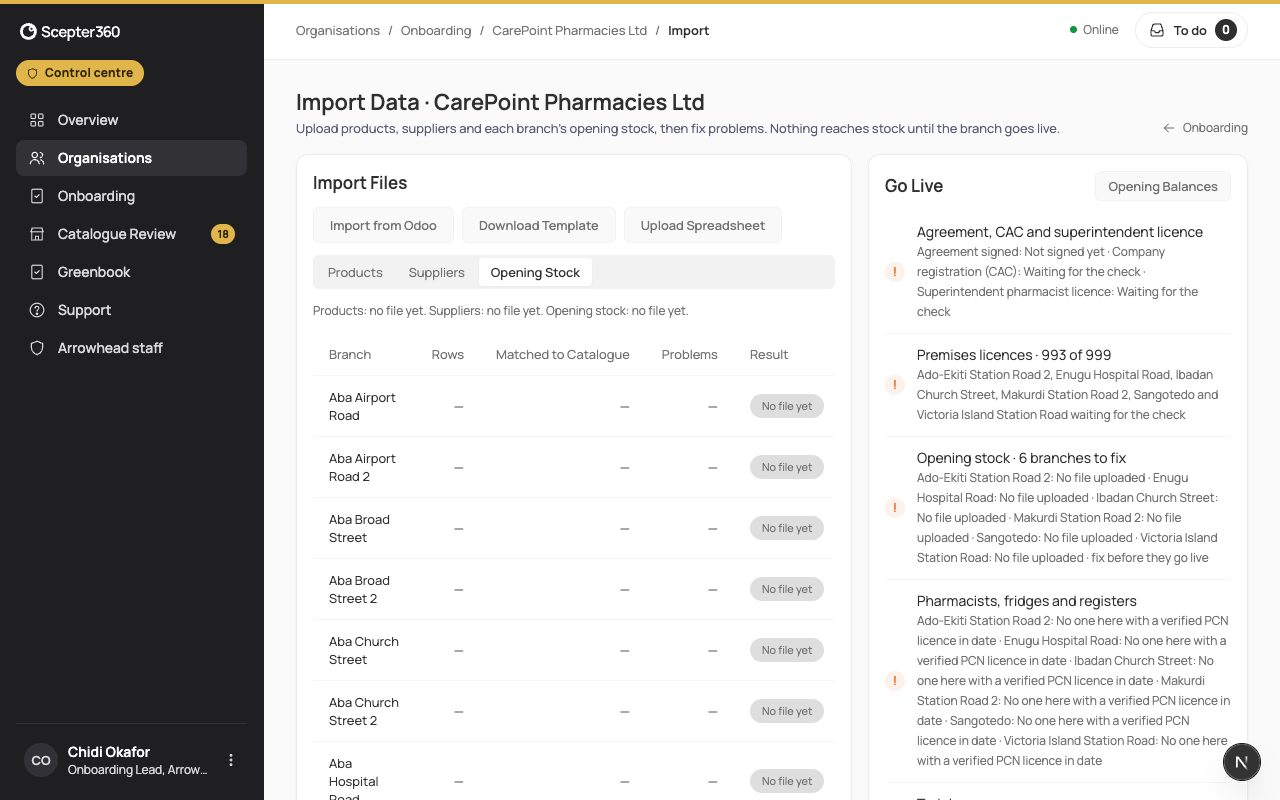
- On the business, choose Import data.
- Download Template for the business to fill in, or Import from Odoo.
- Upload Spreadsheet: say What’s in it (Products, Suppliers or Opening Stock) and the Branch, and Upload and Check. The counts fill in as it's checked.
- Fix … Problems: correct each row and Save and Recheck; match products to the shared catalogue (Confirm Match) or add them (Add to Catalogue).
Go live
The Go Live card tells you which branches can go live and what the others are waiting for. Branches are grouped Ready now, After stock fixes, After licence check, After other checks, and Live; each says what's missing.
- A branch with no stock to bring: Starts with no stock.
- Choose Activate … Ready Branches, then Activate. The stock goes into the ledger, the controlled-drug registers open, and the branch can sell. The import is locked after this, so check the opening stock first: later changes go through stock adjustments or a count.