
Appearance
Sign in to the control centre
In short
Go to the control centre's address, type your work email and password, then the 6-digit code from your authenticator app. You're signed out after 30 minutes idle, and after 8 hours whatever you do.
Who: Arrowhead staff. Pharmacy staff can't sign in here, and you can't sign in at the pharmacies' address.
Sign in
- Open the control centre's address (it starts with control.). The page says Control centre · Arrowhead staff only; on staging it also says STAGING.
- Type your Work email and Password, and choose Continue.
- Type the code from your authenticator app, and choose Continue.
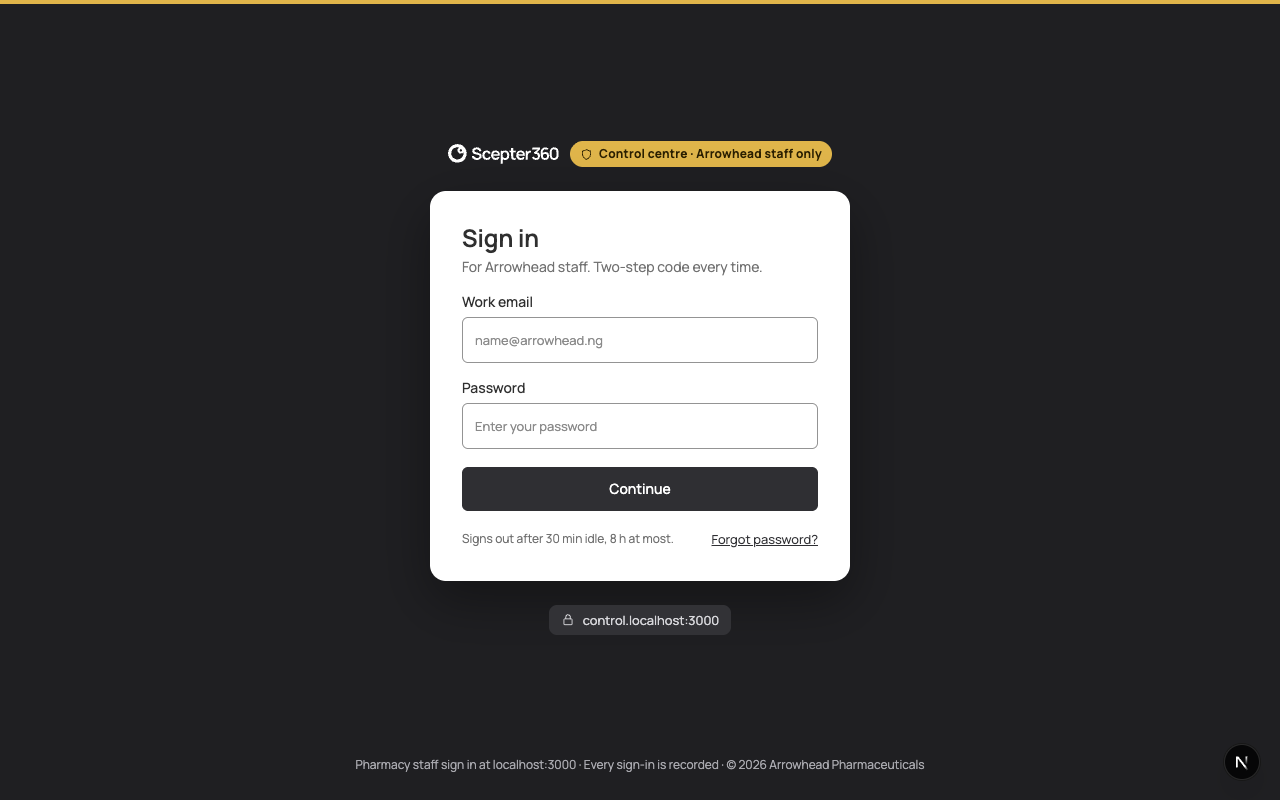
You need the code every time. The control centre doesn't keep you signed in, and doesn't work offline.
Staying signed in
- 30 minutes without activity signs you out. Two minutes before, a bar says "You’ll be signed out in 2 minutes." Choose Stay signed in.
- 8 hours is the longest a session lasts.
Afterwards the sign-in page says why ("No activity for 30 minutes. Unsaved changes were not kept." or "Control centre sessions last 8 hours at most."). Choose Sign in again.
To sign out, open your name at the bottom of the menu and choose Log out.
If something goes wrong
- "That code didn’t work. … tries left before the account locks." Wait for the next code.
- "Account locked": 5 wrong passwords or codes in a row lock your account until another admin unlocks it (Arrowhead staff and unlocking). It doesn't wear off.
- "This is the Arrowhead control centre. Pharmacy accounts sign in at …": that's a pharmacy account. Use the pharmacies' address.
- "Not available from this network": connect to the Arrowhead office network or VPN, then reload.