
Appearance
Create a business
In short
Choose New Business, type the business's name, kind, CAC number and its superintendent pharmacist's phone or email, and Create and Invite. The superintendent gets an invite, and you become the business's onboarding contact.
Who: the onboarding team.
- On Overview or Organisations, choose New Business.
- Type the Business name and choose its Kind: Chain, Single pharmacy or Hospital pharmacy. You can change the kind until the business goes live.
- Type the CAC number, the Superintendent pharmacist's name and Their phone or email (the invite goes there).
- Choose the Plan and the Planned go-live date.
- Choose Create and Invite.
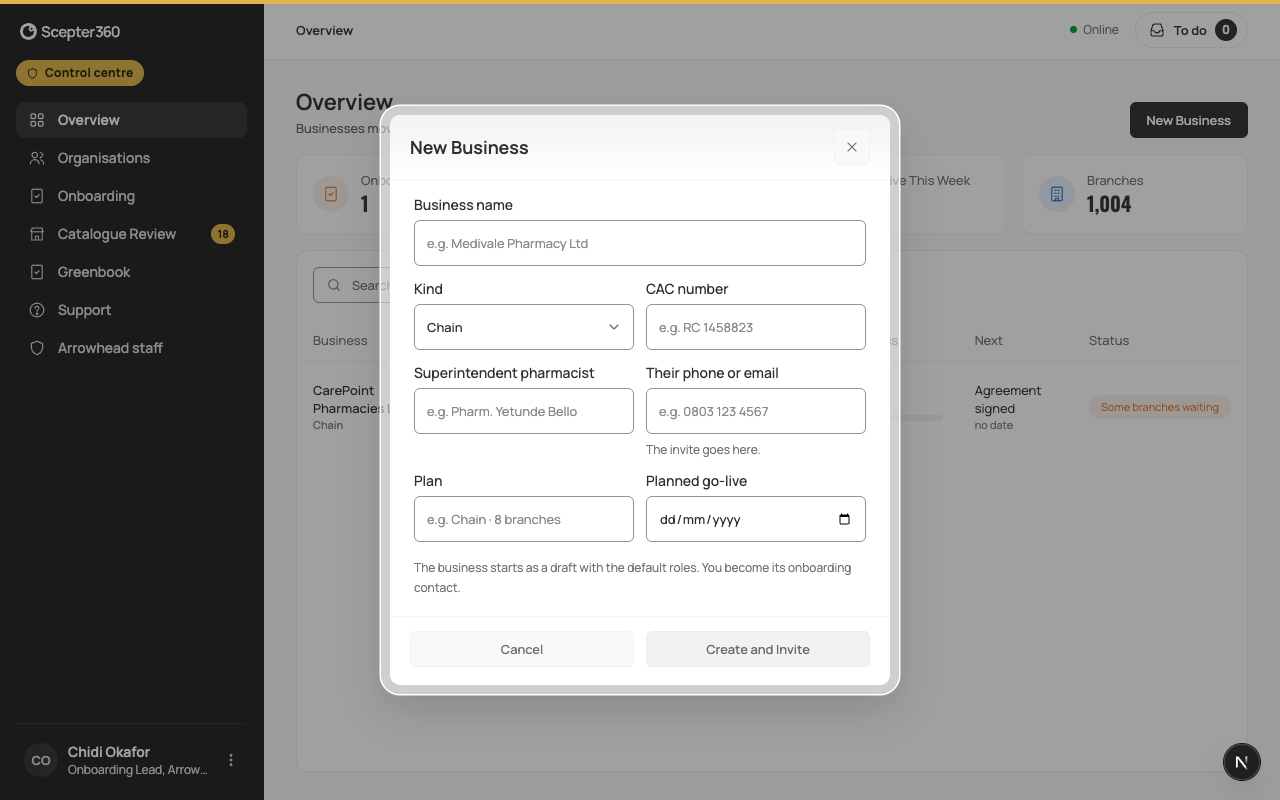
The business starts as a draft with the default roles. The invite lasts 7 days. On the business's page, the line under its name says whether it was accepted; Resend Invite sends it again.
Finding a business
- Overview: businesses still onboarding, how far each has got, and what's next.
- Organisations: every business (Onboarding, Live, All).
- Onboarding: those going live in the next 7 days, with the next item and who owns it.