
Appearance
How their staff sign in
In short
On a business's Staff sign-in tab you see how each person signs in (two-step, or password and PIN) and when they last did. Arrowhead never sees or sets anyone's password or PIN.
Who: the onboarding team and support.
Open the business and choose Staff sign-in. Each person shows their role, Two-step set up, Two-step not set up yet or Password and PIN, and when they last signed in.
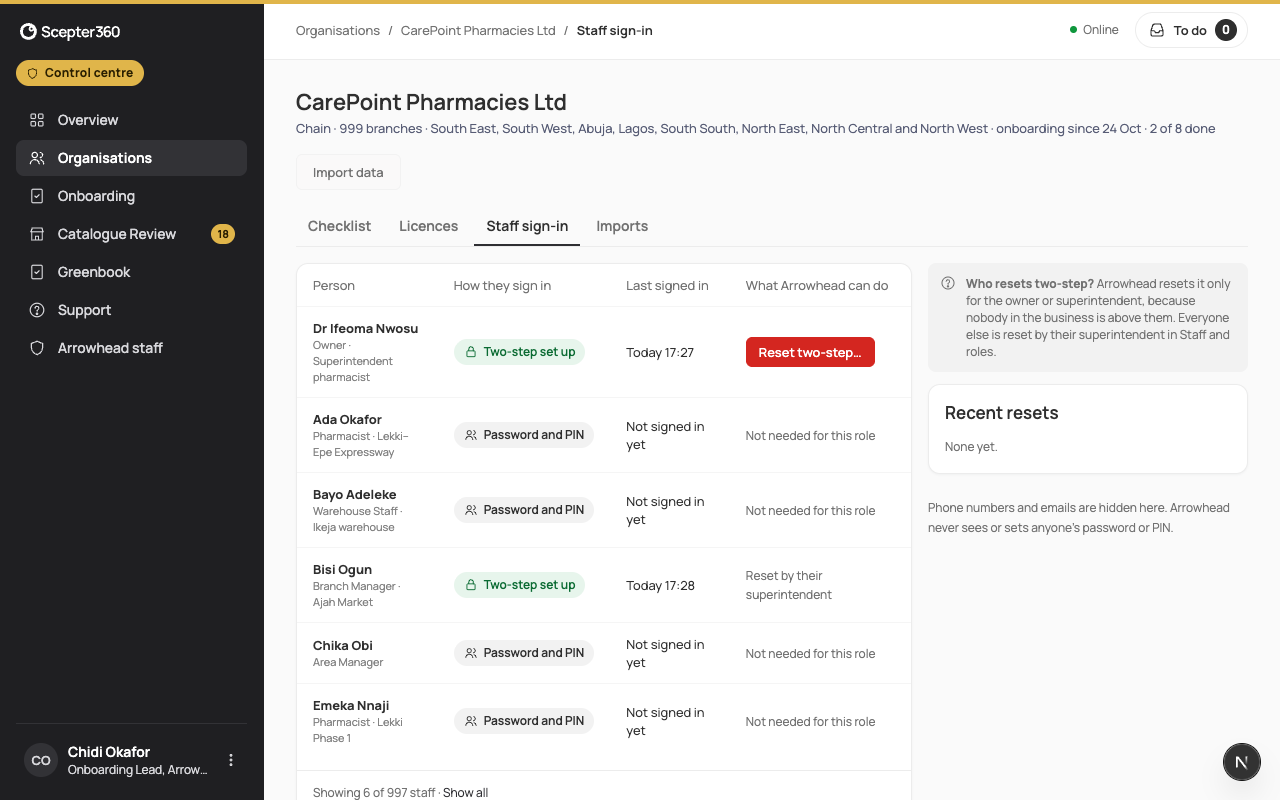
What Arrowhead can do says what you can do for each:
- Reset two-step… for the owner or superintendent: Reset an owner’s two-step.
- Anyone else is reset by their superintendent, in Staff and roles.
Phone numbers and emails are hidden here. Recent resets lists the last ones.