
Appearance
Stock from the warehouse
In short
Before each delivery, the warehouse suggests what your branch needs. Check it by the time orders close: change any quantities, say why for big changes, and confirm.
Who: branch managers at a branch the warehouse supplies.
- Open Stock from the warehouse (or the to-do "Check your order from … by 16:00").
- The banner says when orders close.
- Compare how long each product Lasts with the Suggested amount, and change You want if needed. The suggestion comes from your last 30 days of sales, so a big change usually means something those sales don't show, like a product you've stopped stocking. A change of more than half the suggestion needs a reason (your area manager sees it).
- Choose Confirm … lines.
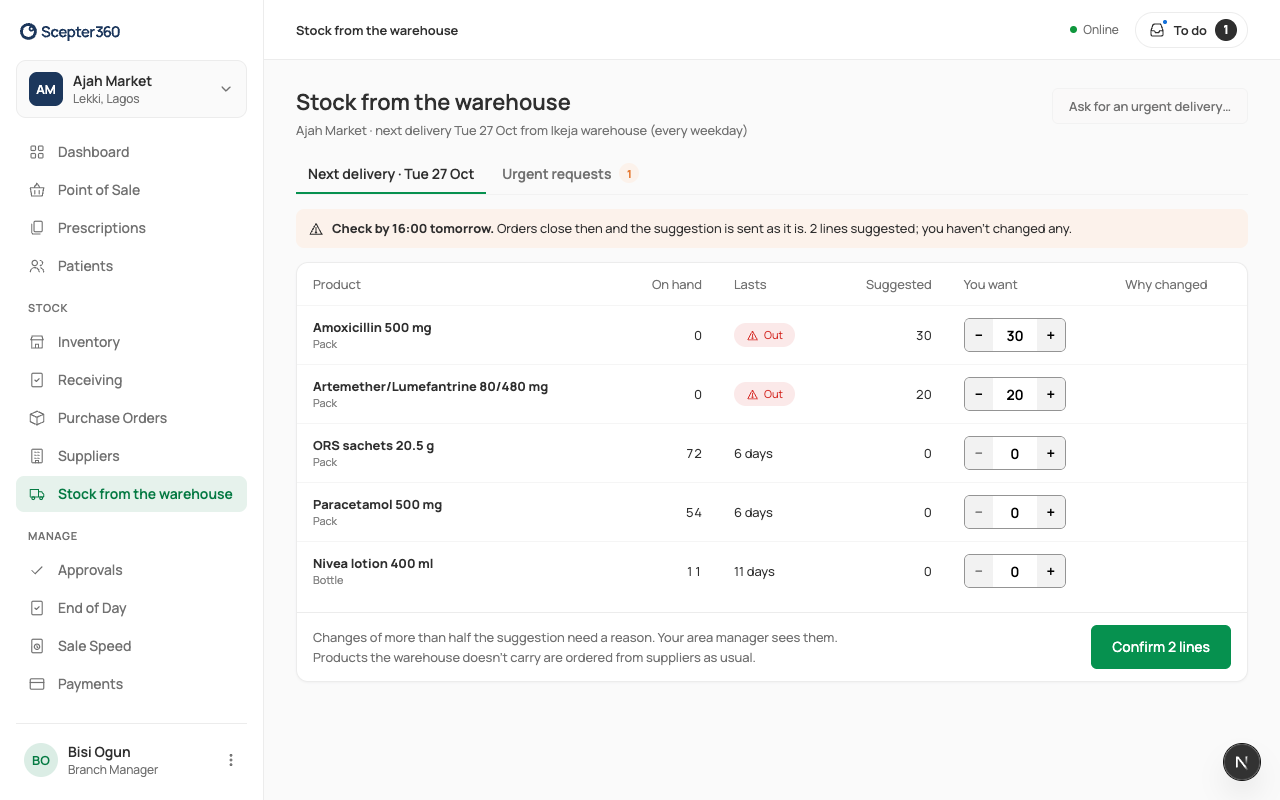
If you don't check, the suggestion is sent as it is when orders close. Products the warehouse doesn't carry are still ordered from suppliers.
When the warehouse has made the transfer order, Got shows what's coming. Then receive the transfer.