
Appearance
Receive a transfer
In short
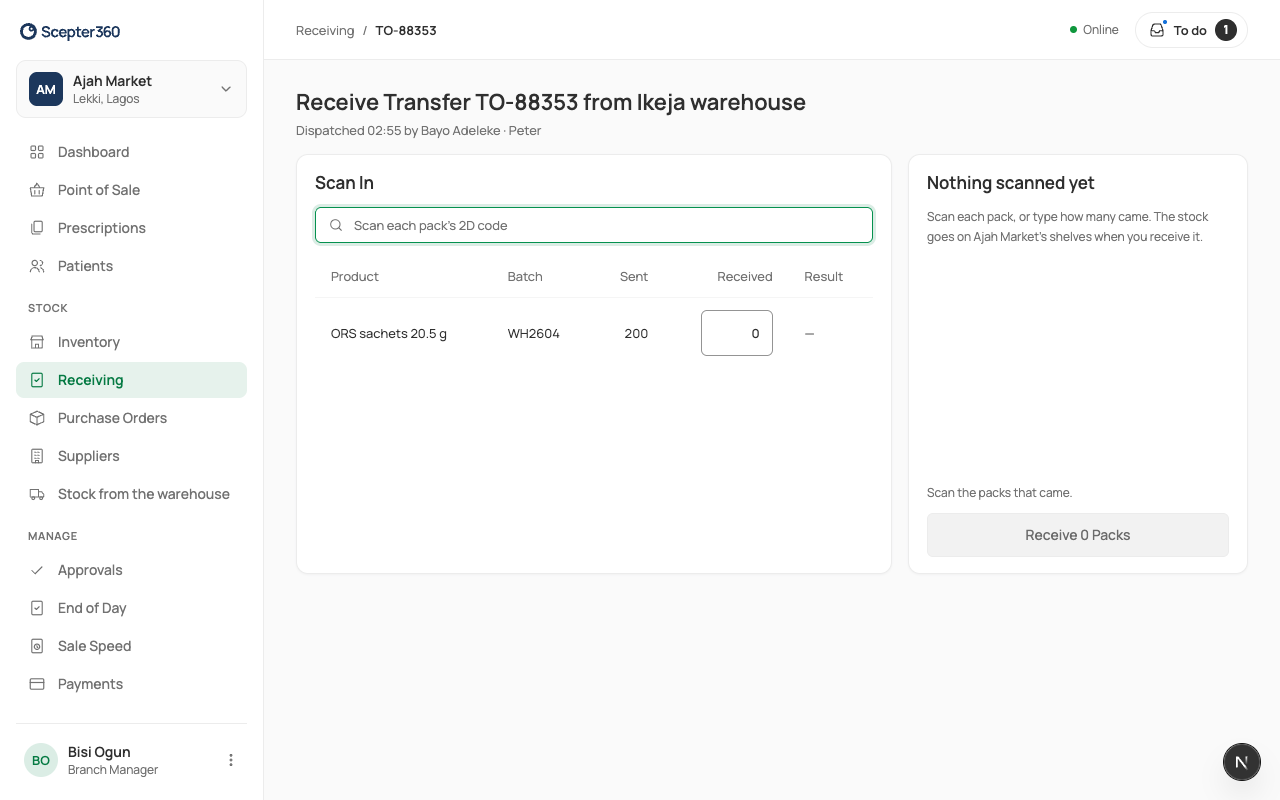
When the warehouse's van arrives, open the transfer from Receiving, scan each pack, say why anything is short, and choose Receive. The stock goes on your shelves.
Who: branch managers, technicians and storekeepers at the branch.
- Open Receiving. Under Transfers on the way, choose Scan in. (You're also told when it leaves the warehouse.)
- Scan each pack's 2D code (it carries the batch), or type how many came in Received.
- Each line shows Matched, short or over.
- If anything is short, count again, then type the Reason. The warehouse sees it. The missing packs are recorded against the transfer, not your branch, and the warehouse settles them.
- Choose Receive … Packs.
If something goes wrong
- "Batch … wasn’t sent on this transfer."
- "Scan the pack’s 2D code: it carries the batch."
- "Receiving needs a connection."