Appearance
Delivery settings
In short
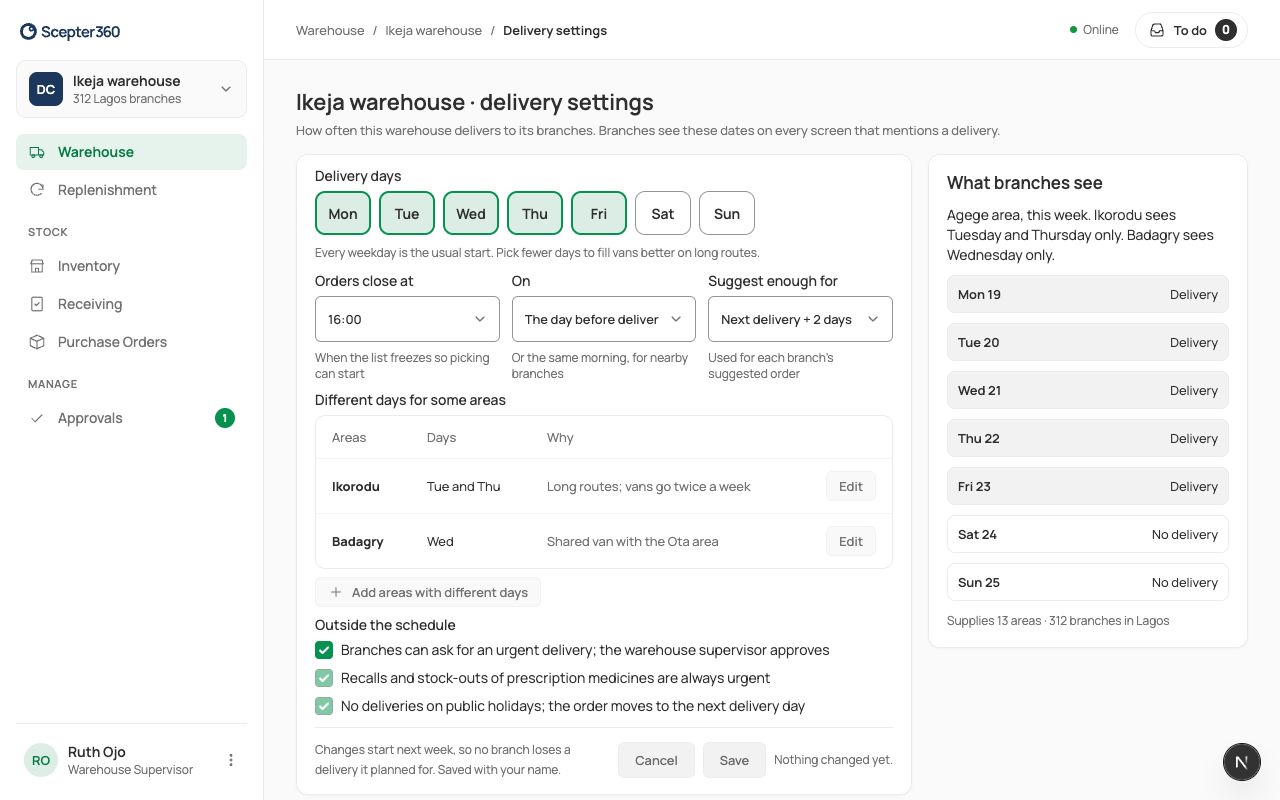
Set the days the warehouse delivers, when branches' orders close, and how much each suggestion covers. Some areas can have their own days. Changes start next week, so no branch loses a delivery it planned for.
Who: the warehouse supervisor and the owner change them; others can look.
Open Delivery settings (from the warehouse board, Replenishment, or Settings › Warehouses).
- Delivery days: tick the days. Fewer days fill vans better on long routes.
- Orders close at, The day before delivery or The same morning: when the lists freeze so picking can start. The day before gives the warehouse more time to pick; the same morning gives branches longer to check.
- Suggest enough for: the next delivery plus a few days. More days usually means fewer stock-outs but more stock sitting on branch shelves.
- Different days for some areas: Add areas with different days, their days, and why.
- Whether branches can ask for an urgent delivery (the supervisor approves). Recalls and prescription stock-outs are always urgent; there are no deliveries on public holidays.
- Choose Save.
What branches see shows the week from a branch's side.