
Appearance
Find and open a branch
In short
Branches lists every branch, those that need attention first. Open one to see its day. If you don't work there, you see it read-only and can Look around its stock, sales and registers.
Who: head office, regional and area managers.
The branch list
Open Branches to find a branch, or to see which ones need help today. Needs attention (the default) shows those first; All, Opening soon and Closed show the rest. Search Name, code or town, or filter by region, area and problem (no pharmacist on duty, licence expiring in 30 days, 15 or more stock-outs).
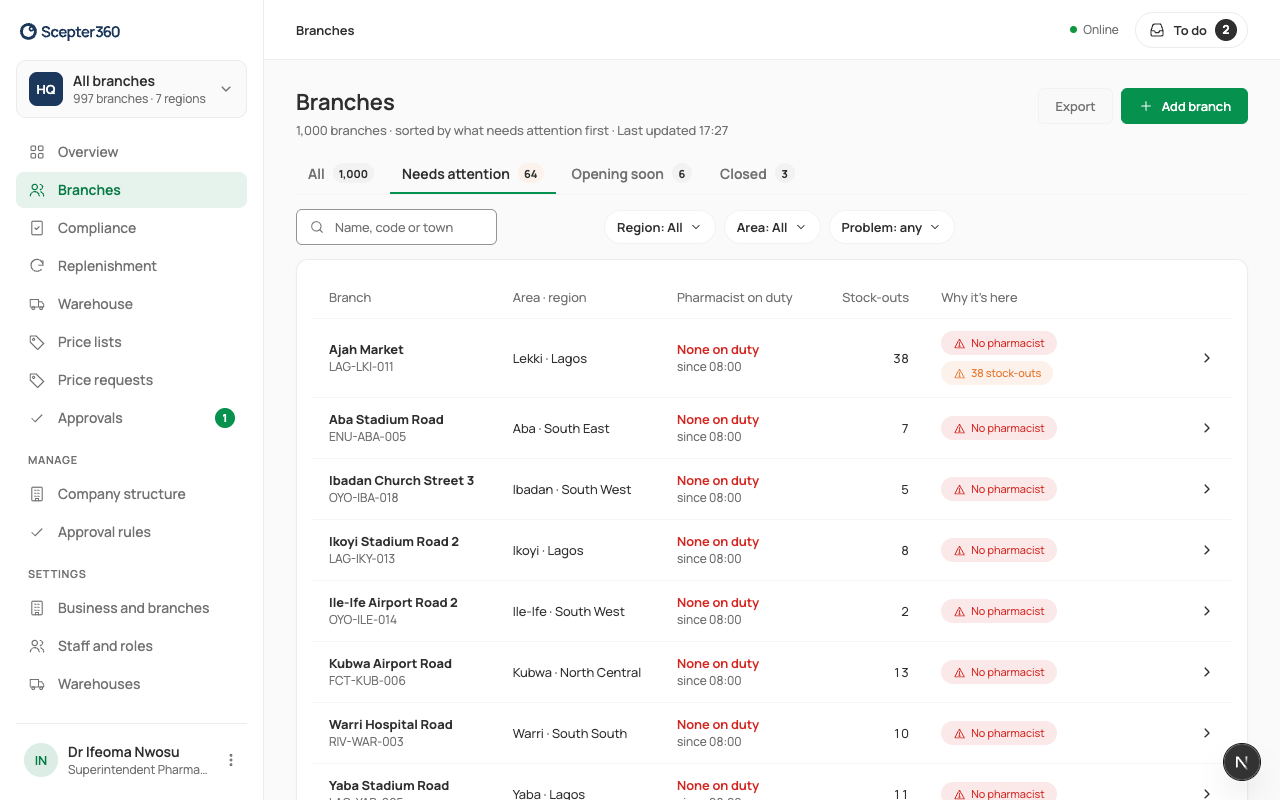
Export downloads the list (or all branches) as a spreadsheet; each export is recorded with your name. Add branch is for head office: see Regions, areas and managers.
Open a branch
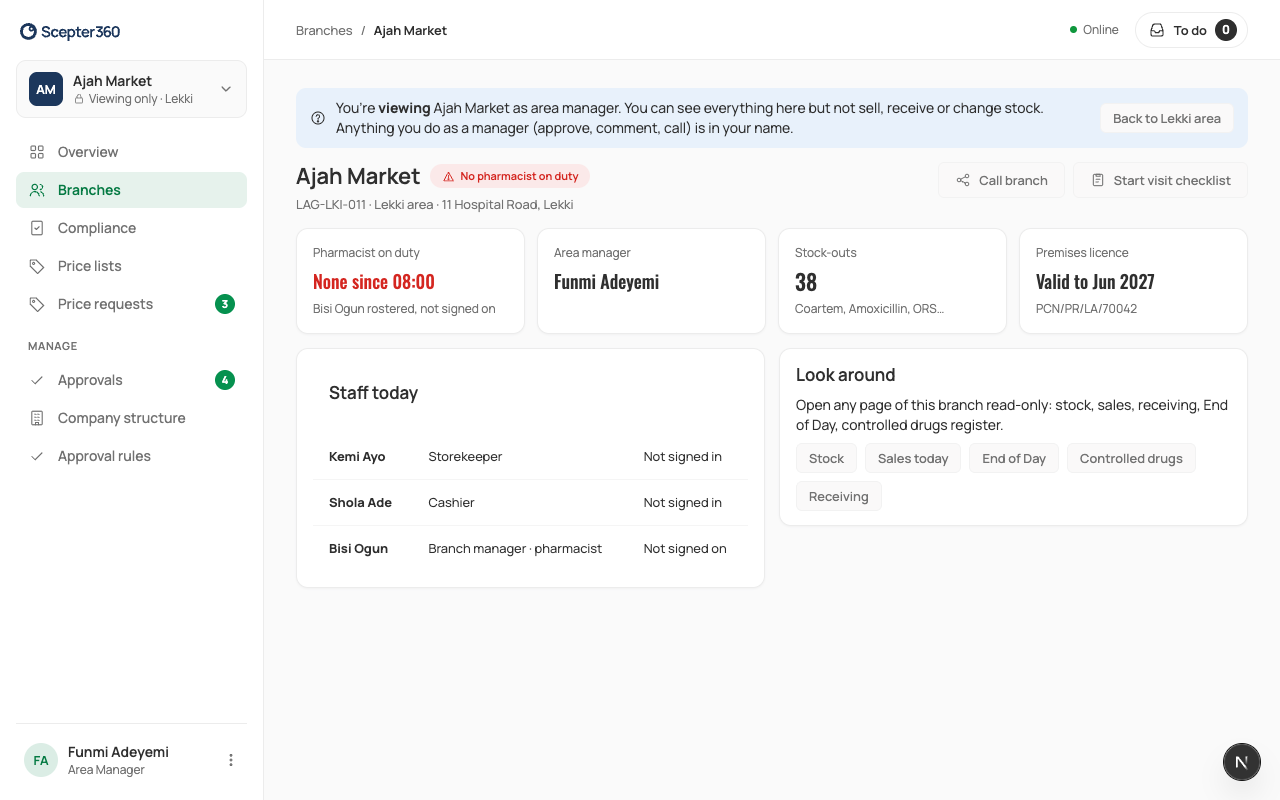
A branch shows its pharmacist on duty, its area manager, stock-outs, its premises licence, and its staff today. Call branch rings it; Start visit checklist starts a visit.
If you don't work there, a bar says you're viewing it: "You can see everything here but not sell, receive or change stock. Anything you do as a manager (approve, comment, call) is in your name."
Look around
On a branch you're viewing, Look around opens its pages read-only: Stock, Sales today, End of Day, Controlled drugs and Receiving. The bar stays at the top with Back to the branch, or to your area.