
Appearance
Pick, check and send
In short
The warehouse board shows each branch's transfer order from To pick to Received. Staff pick by scanning each pack; the supervisor checks and seals it; then it's dispatched on the van.
Who: warehouse staff pick and dispatch. The supervisor (who didn't pick it) checks and seals, and settles short deliveries.
The board
Open Warehouse to see where each order is, from To pick through Picking, Packed, checked and On the van to Received today. Look for the pills that need care: Urgent, fridge lines and short lines.
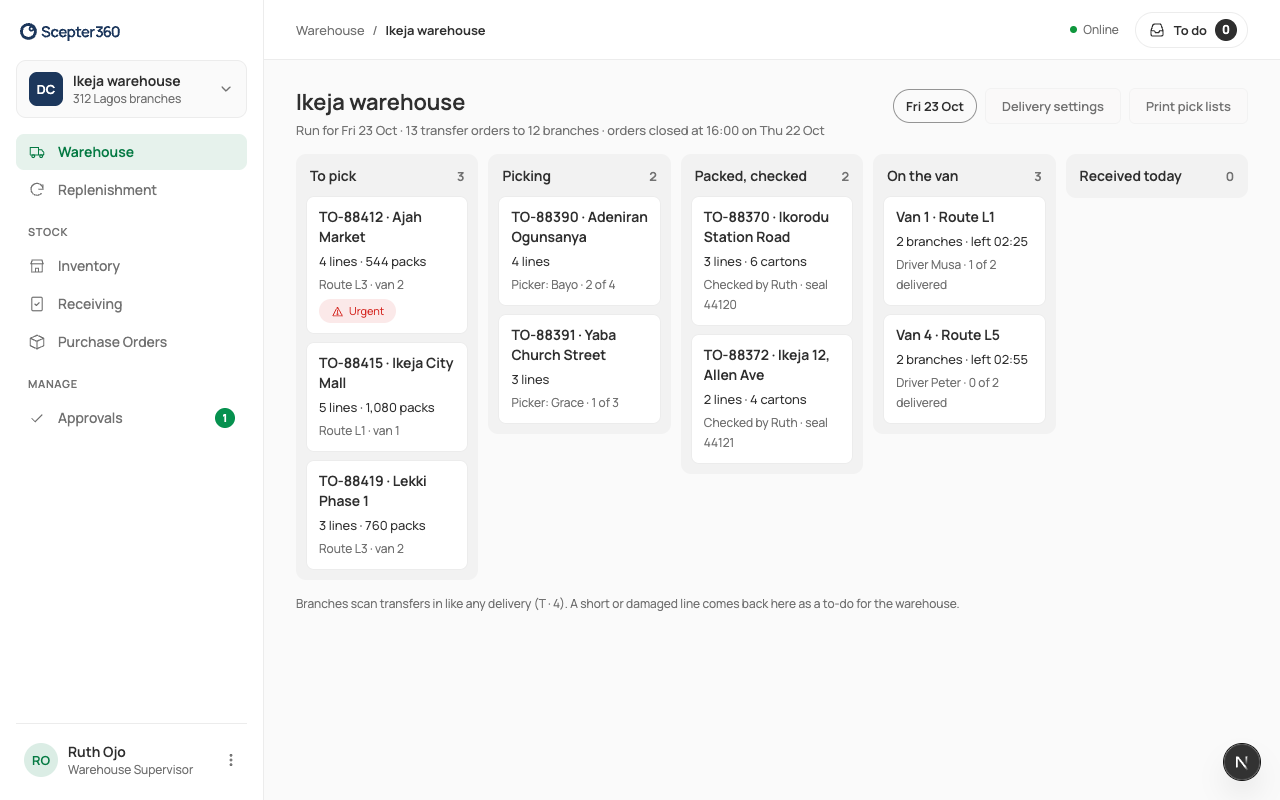
Print pick lists prints one sheet per order: product, batch (earliest expiry first), location and packs, with a box to tick and a "Picked by" line.
Pick an order
- Open the order's card.
- Scan each pack (Scan the pack’s 2D code or barcode). The first scan starts picking. Scanning checks the batch, so the wrong batch or product can't be sent.
- Pick until each line's Scanned matches Requested.
Check and seal (supervisor)
A second person, who didn't pick it, checks it, so one person's mistake doesn't reach the branch. Type the Seal number and Cartons, and choose Check and seal. If something's short, the screen says so: keep picking if there's more on the shelf, or send what's there.
Dispatch
On a packed order, type who's driving (Carried by), the Van and Route, and why anything is short (the branch sees it). Choose Dispatch … Packs. The branch is told it's on its way. Stock leaves the warehouse when it's dispatched, and arrives at the branch when they scan it in.
A delivery that came short
If a branch receives fewer packs than were sent, the supervisor gets a to-do. Open the order, choose Settle… for each short line: Found at the warehouse (back on the shelf) or Lost in transit (recorded), with a note. Look on the shelf first: Found puts the packs back in the warehouse's stock, and Lost leaves them out.
If something goes wrong
- "That product isn’t on this order." / "Batch … isn’t available in the warehouse."
- "A second person checks and seals: you picked this order."