
Appearance
Set up a warehouse
In short
A warehouse holds stock and sends it to the branches it supplies, on set days. Add it in Settings › Warehouses with its licence and the branches it supplies. Replenishment and Warehouse then appear in the menu, and each branch it supplies gets Stock from the warehouse.
Who: the owner (or whoever manages the company structure). You need 2 or more branches.
Add a warehouse
- Open Settings › Warehouses and choose Add a warehouse.
- Type its Name, Address, PCN premises licence number and when the Licence expires.
- Tick the Branches it supplies. A branch is supplied by one warehouse.
- Choose Add warehouse.
Deliveries start as every weekday, orders closing 16:00 the day before. Change that in Delivery settings.
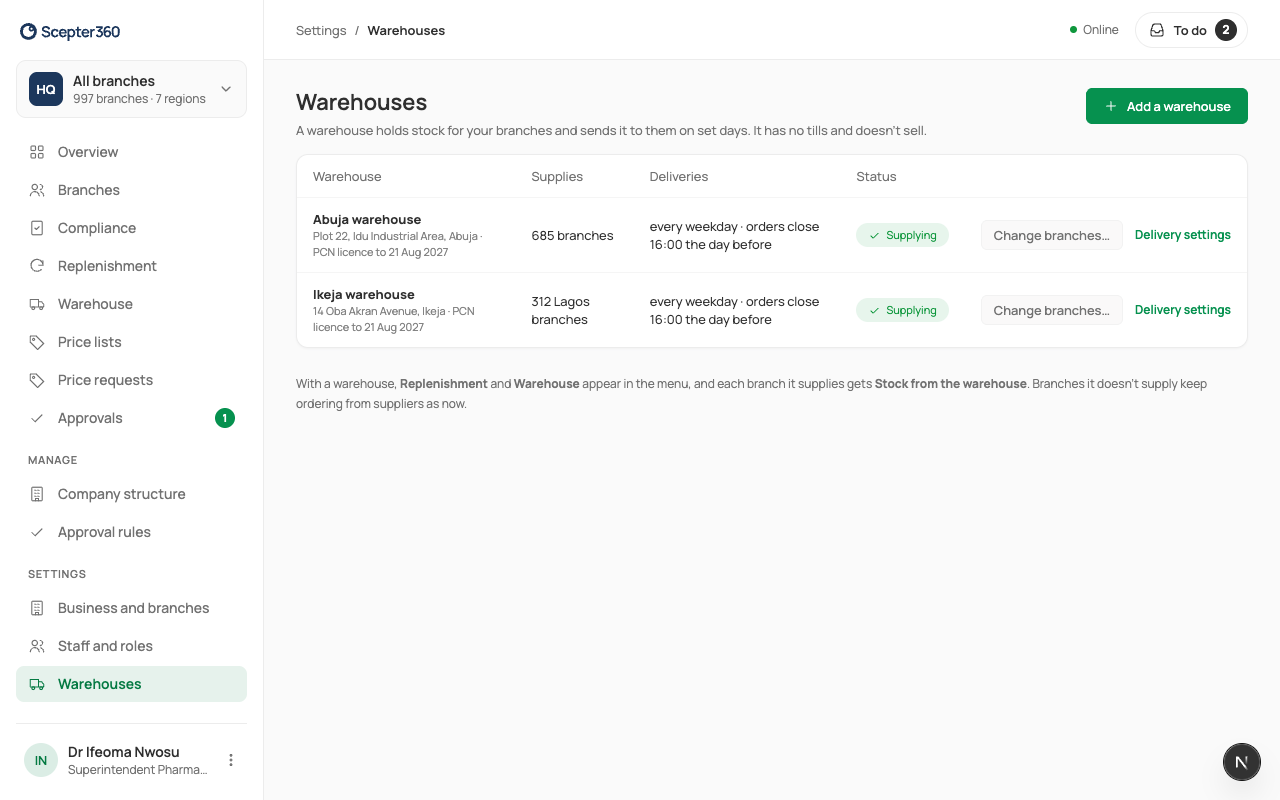
A warehouse has no tills and doesn't sell. Branches it doesn't supply keep ordering from suppliers.
Change which branches it supplies
Choose Change branches…. In a chain, tick a whole area (including branches added to it later) or single branches. Each change shows when it starts (the next delivery week); warnings tell you about transfers on the way or runs already planned. Choose Save changes. You can Undo a change until it starts.