
Appearance
Your area home
In short
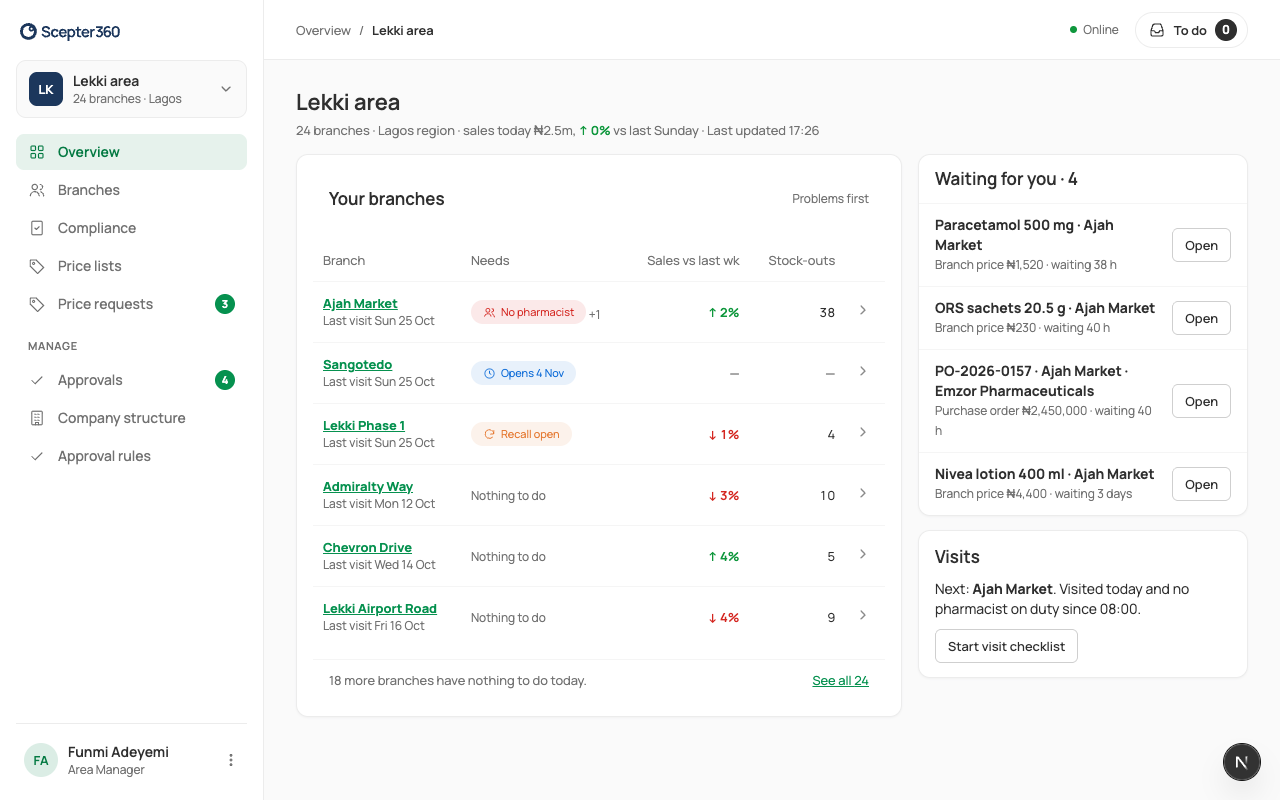
Your Overview shows your area: your branches with problems first, what's waiting for you to decide, and the branch that most needs a visit.
Who: area managers.
Open Overview to see where your attention is needed today.
- Your branches · Problems first: the branches at the top need you most. Look at what each needs and how long since its last visit. See all opens the full list. With more than one area, filter by Area.
- Waiting for you: requests from your branches; Open to decide (Approve requests).
- Visits: the branch most in need of a visit, and why. Start visit checklist starts it (Visit a branch).
Signing in takes you to Company structure; choose Overview in the menu for your home.