
Appearance
Price lists by region
In short
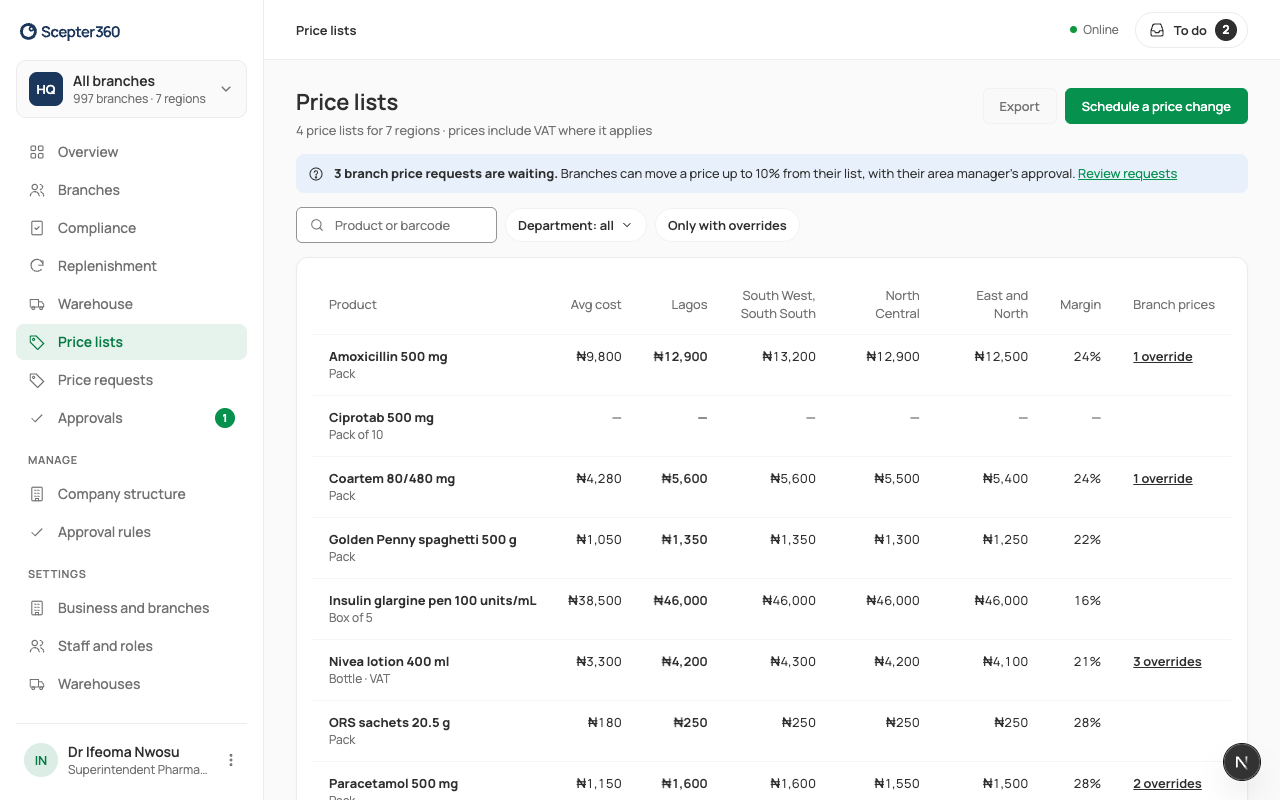
Each region sells from a price list. Price lists shows every product's price on each list, its margin, and where branches charge their own price. Search, filter and export it.
Who: head office and buyers; area and regional managers can look.
Open Price lists. Each row is a product at its main pack, with its average cost (if you see costs), its price on each list, the margin, and Branch prices (how many branches have their own).
- Search Product or barcode, or filter by Department, or Only with overrides.
- Export downloads what the filters find as a spreadsheet.
- A price marked * isn't set on that list: its branches sell at Standard's price.
- Look at Branch prices: when many branches charge their own price for a product, its list price is usually wrong for that region.
Old prices are kept: every change shows who, when and from when it applied.
To change prices, schedule a price change. A branch can ask for its own price within 10% of its list: see Branch price requests.