
Appearance
Visit a branch
In short
Walk the branch with the visit checklist on your phone: 14 questions, Yes or No. A No needs a note, and can have a photo and a to-do for the branch. Finish the same day; the branch manager gets the summary.
Who: area managers (and anyone who looks after the branch). Works without internet.
Start
On your area home, choose Start visit checklist (or on the branch's page). If you already started one there today, it carries on.
From the system shows what Scepter360 already knows: the pharmacist on duty, the fridge's week, recalls and the last controlled-drug count. You don't need to check those.
Answer
The 14 questions are in five groups: Premises, Medicines, Records, Staff, Customers.
- Yes saves straight away.
- No asks What did you find? (required). Add a photo if it helps. If the branch needs to act, Make a to-do for the branch: choose Who fixes it and Fix by, so it reaches the person who fixes it. Choose Save.
- The fridge question asks for the reading now, in °C.
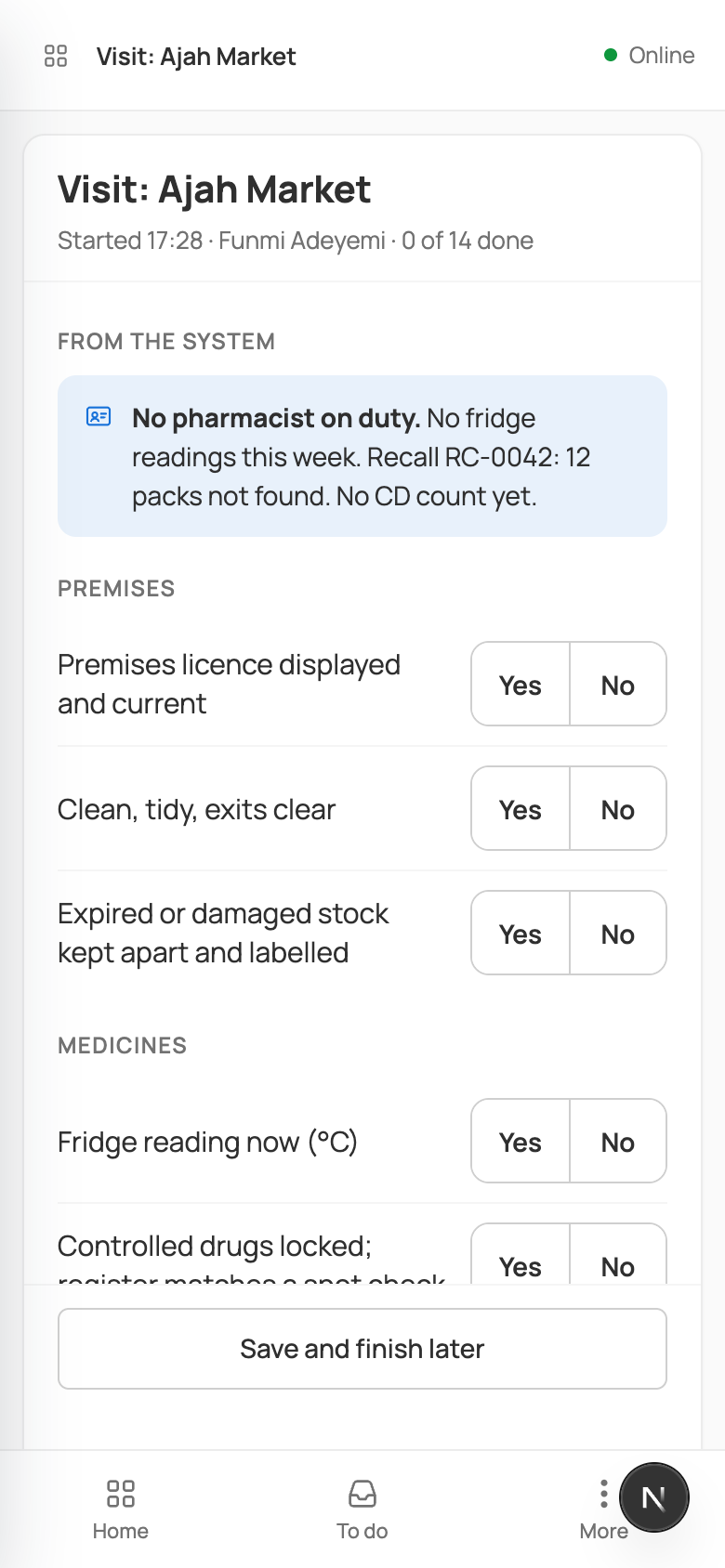
Save and finish later keeps your answers; carry on any time today.
Finish
When all 14 are answered, choose Finish visit. Check the Yes and No counts and the No items, add Notes for the branch if you like, and choose Finish visit.
The branch manager gets the summary, each to-do goes to the person you named, and the branch's last visit becomes today. The visit is read-only afterwards.
Without internet
Your answers are kept on the phone and sent when the connection comes back. Photos need a connection; to-dos need the branch's staff list, which loads once you're online.
If something goes wrong
- "Say what you found: a No needs a note."
- "A visit is finished the same day; this one closes as not finished." An unfinished visit closes at midnight as "Not finished", and the branch manager is told.
- "This is …’s visit. You can read it, not answer it."