
Appearance
Sell without internet
In short
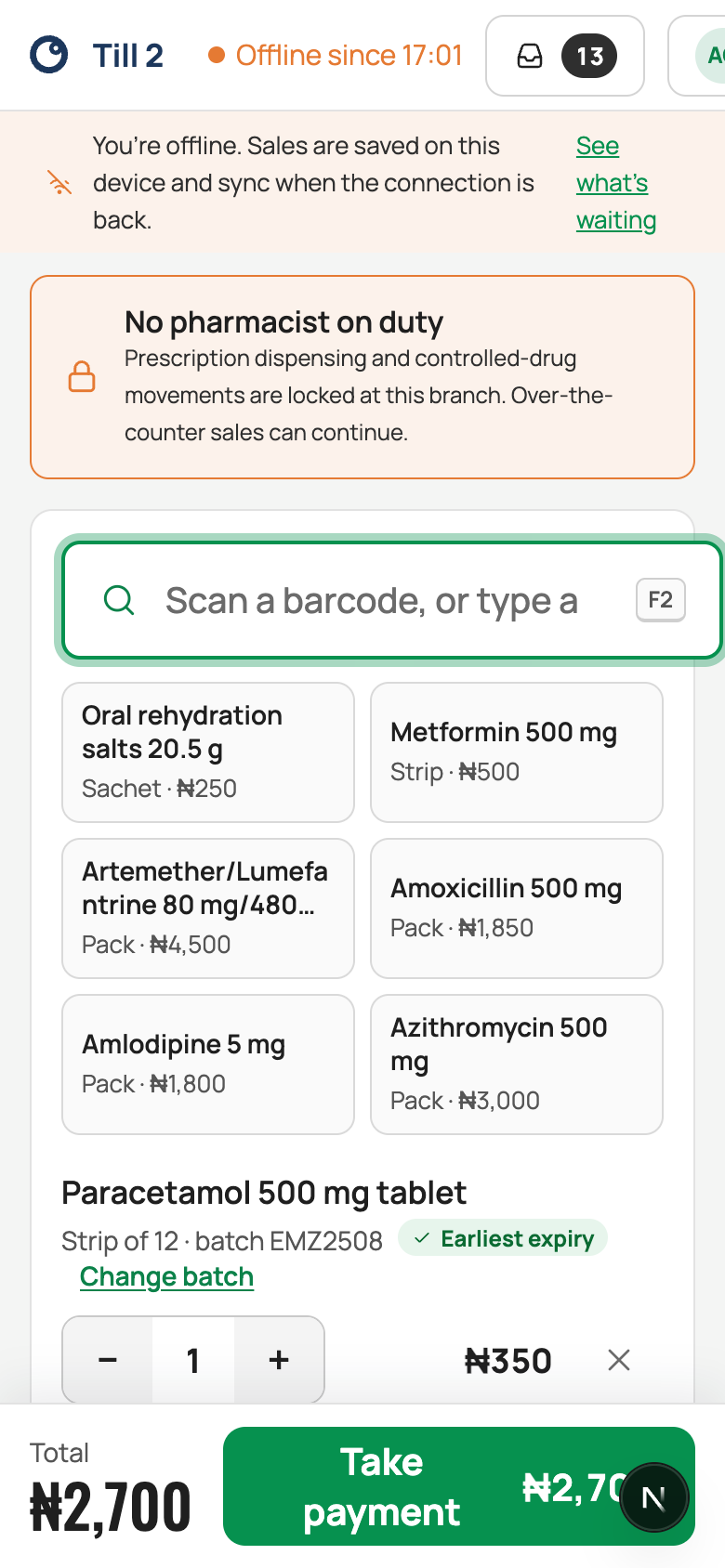
If the internet goes, keep selling. Sales are saved on the till and sent when the connection comes back. A few things wait for the internet: opening or closing a shift, refunds, holding a sale, and paying for prescriptions.
Who: anyone who sells, on a till where they signed in while online in the last 7 days.
While you're offline
The top of the screen says Offline, and a banner: "You’re offline. Sales are saved on this device and sync when the connection is back."
- Sell as usual. Each sale gets a number made on the till (the branch and till codes, then 0001, 0002…), and gets its branch receipt number when the connection is back.
- Receipts: you can print one. An SMS receipt can be sent once you're back online.
- Signing in: choose Sign In Offline with Your PIN, tap your name and type your PIN.
These wait until you're back online: opening or closing a shift, refunds, holding a sale, paying for a prescription, adding an unknown barcode, approvals, and registering patients.
When the connection comes back
The status shows "Syncing…", then "Back online · 12 synced". Nothing to do.
"Sales need a decision"
Rarely, two tills sell the last pack of something while offline. The status then says how many sales need a decision. A manager or pharmacist opens it and chooses what really happened, then Resolve. Cashiers just let them know.
- A pack was on the shelf but not in the system: both customers got a pack, so the extra is recorded as found stock, to be counted later.
- Only one pack existed: the stock figure was right, so contact the customer to refund; the money owed is recorded.
If something goes wrong
- "That PIN isn’t right. … tries left." After 5 wrong PINs offline, wait for the connection and sign in with your password.
- "Nobody has signed in on this tablet in the last 7 days, so offline sign-in isn’t available." Wait for the internet, or use another till.