
Appearance
Your To do
In short
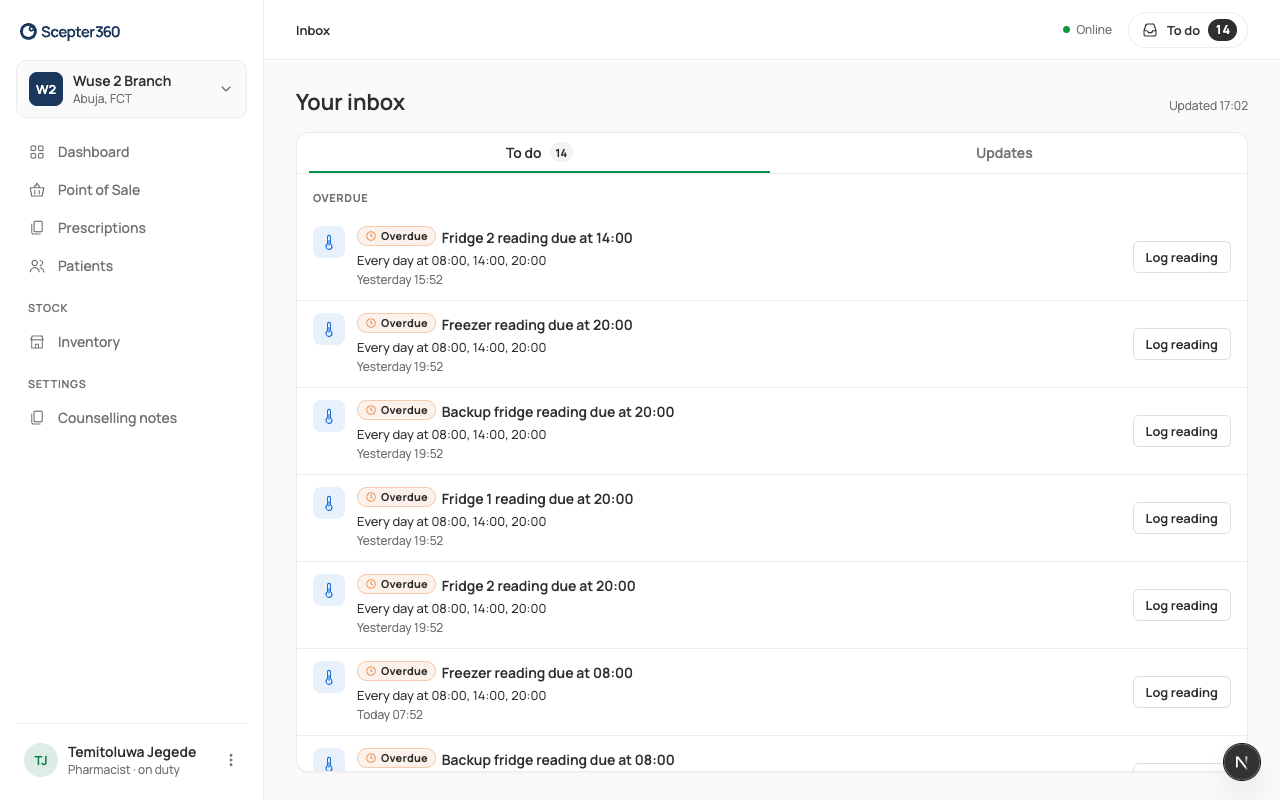
To do at the top of the screen shows what's waiting for you, with a button to deal with each one. Updates tells you what happened; nothing to do.
Who: everyone.
Open it
Choose To do at the top (the number is how many are waiting). On a phone, it's in the bar at the bottom.
- To do: things for you to act on, with the most urgent first (Urgent, Overdue, Today). Each has its own button, such as Open. When it's empty: "You’re all caught up".
- Updates: news for you, kept 30 days. Choose Mark all as read to clear the dot.
Something urgent also shows a banner on every page until it's done.
What you might get
- A stock count assigned to you.
- A fridge reading that's due, or a fridge out of range.
- A recall: check your shelves.
- New prices today: change the shelf labels.
- Controlled drugs count due (for pharmacists and technicians).
- Your licence is about to expire, or your PIN was locked.
When the till changes hands, the next person sees only their own To do.