
Appearance
Receive a delivery
In short
Open the order under Receiving, scan each pack (batch and expiry), deal with anything flagged, and save. The stock goes on hold until a pharmacist releases it.
Who: branch managers, technicians, storekeepers and the owner.
Receive against an order
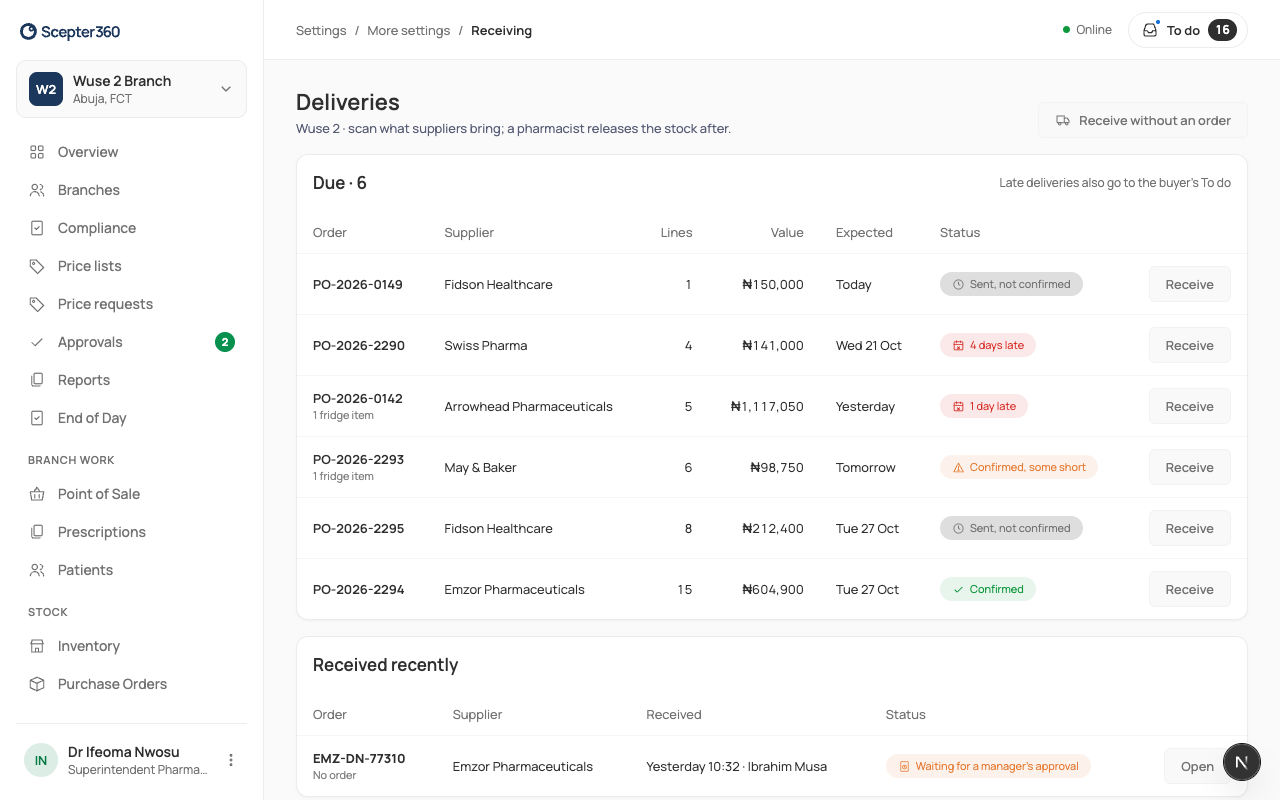
- Open Receiving (owners: More settings › Receiving). Under Due, choose Receive next to the order.
- Read Before you start, then Start receiving.
- Scan each pack (or Find by name). Check the Batch and Expiry match the pack in your hand, then the quantity, the Temperature on arrival for cold items, and where it's Put away in. Choose Confirm and scan next.
- Anything wrong is flagged, such as short-dated, damaged, not on the order or a NAFDAC mismatch. For each, choose Accept (a pharmacist still reviews it before release), Quarantine (kept apart until checked), or Refuse and return to driver (recorded on the delivery note). Refuse what is clearly wrong while the driver is there; quarantine what a pharmacist should look at.
- Choose Review and save. For anything short, choose Keep … on Back Order if the rest is still coming, Request a Credit Note if you've been charged for it, or Cancel the Remainder.
- Choose Save Receipt. Controlled drugs need a witness.
"Receipt saved: stock is on hold for a pharmacist to release." See Stock on hold. Print receiving note gives you the paper copy.
A delivery with no order
Choose Receive without an order, fill in the supplier, delivery note, driver and Reason there is no order, and receive it as above. A manager approves it.